In the year 2000, houses will have screens instead of walls and will be decorated with "electronic wallpaper". Here are some samples - you can get the effect today by printing them out on a dot-matrix printer and pasting the fan-folded paper to your walls. Simply follow the instructions at the bottom of this page.
More 'wallpaper' from Series One |
| |
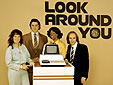
Look Around You
640 x 480
800 x 600
1024 x 768
1600 x 1200 |

Memory Helmet
640 x 480
800 x 600
1024 x 768
1600 x 1200 |
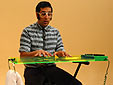
Synthesiser Patel
640 x 480
800 x 600
1024 x 768
1600 x 1200 |

Happy Birthday
640 x 480
800 x 600
1024 x 768
1600 x 1200 |
 |

Follows Shortly
640 x 480
800 x 600
1024 x 768
1600 x 1200 |
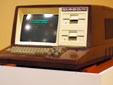
Bournemouth
640 x 480
800 x 600
1024 x 768
1600 x 1200 |
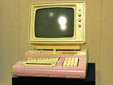
Petticoat 5
640 x 480
800 x 600
1024 x 768
1600 x 1200 |

Tasty Casserole
640 x 480
800 x 600
1024 x 768
1600 x 1200 |
To download and install the desktop images, follow these instructions:
Windows 95, 98, 2000 and NT
Choose the size of wallpaper you require. The options are small (640 x 480); medium (800 x 600); large (1024 x 768) or extra large (1600 x 1200). Click on one of the options and a bigger image will appear in a new browser window. Move your cursor (pointer) over the big image. Right click your mouse and a 'drop down' menu will appear. Go to 'set as wallpaper'. Finally left click your mouse. Your new wallpaper will appear on your desktop. To find out the best size for you, right mouse-click on your desktop, select 'properties,' a pop window will appear; select 'settings' and note the dimensions in the section called 'screen area.'
Mac 0S 8/8.5
Download the image by clicking and holding down the mouse. Click on the Apple icon in the top left-hand corner of the screen. Go to control panels, click on 'Appearance'. Six menu items are shown - choose 'Desktop'. Click on 'Place Picture' and choose the image that you downloaded from the web site. Click 'Set Desktop' button.
Back to the top
|