 | 29 October 2014 |

|
|
| BBC Homepage | | |
| |||
| Contact Us | | |
News and PhotosYou are in: Somerset > Entertainment and Leisure > Carnival > News and Photos > World first as Bridgwater goes blue 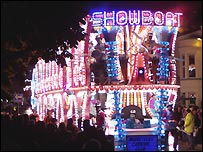 The carnival starts at 19.00 World first as Bridgwater goes blueGet ready for BBC Somerset to blast its way through new technological frontiers.... At Bridgwater Carnival, we'll be trying out a new technology which is quite possibly a world first. All you have to do is bring along your mobile phone. BBC Somerset is set to experiment with a new way to broadcast at this year's Bridgwater Carnival. The BBC Bus, which will be taking part in the procession, will be pioneering “bluecasting” where video is beamed direct to a mobile phone instead of a radio or tv. More than 100,000 people will be attending the carnival procession – and many of those will have blue-tooth mobile phones. "It is an exciting opportunity for people at the biggest illuminated carnival in Europe to take part in what we believe will be the biggest mobile bluecast in the world," said BBC Somerset editor Simon Clifford. 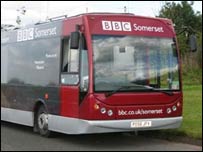 Archive footage from 1966 will be available "We will try to send video, text and audio direct from our broadcast bus to people’s mobiles. All they have to do is make sure they have switched on their blue tooth applications on the phones and accept the BBC material – it’s as simple as that." The material beamed from the transmitter carried on the BBC Bus to the phones will include rare archive footage from carnivals over the past 40 years, plus BBC interviews, photos and messages from the radio station. "This is a new and vastly improved service for what is such an important part of our county," said Simon. "Carnival constantly ‘wows’ visitors and we are trying to make life easier for fans and would-be fans to find out more about carnivals all over Somerset." Bluetooth instructions:Most mobile phones now have a blue-tooth application – to find how to make sure yours is switched on to take part in the trial, here’s a list of instructions for the major makes: :: Nokia: Go to Menu > Connect > Bluetooth. Change setting to On. Turn Visibility on. :: Samsung: Go to Menu > Settings > Bluetooth > Activation. Turn on. Turn Visibility on. :: Sony Ericsson: Go to Menu > Settings > Connectivity > Bluetooth. Turn On. Turn Visibility On. :: Motorola: Go to Menu > Bluetooth Link > Setup > Power. Turn On. Turn Visibility On (Find Me). :: Siemens: Go to Menu > Settings > Connectivity > Bluetooth. Turn On. Turn Visibility On. :: Sagem: Go to Menu > Connectivity > Bluetooth > Mode. Select On and Visible. last updated: 08/11/07 SEE ALSOYou are in: Somerset > Entertainment and Leisure > Carnival > News and Photos > World first as Bridgwater goes blue [an error occurred while processing this directive] |
| | About the BBC | Help | Terms of Use | Privacy & Cookies Policy |