bbc.co.uk |
Science & Nature: Prehistoric Life |
1. Before you download
- Make sure you have enough free space on your hard drive.
- Watch this video so that you know what to expect.
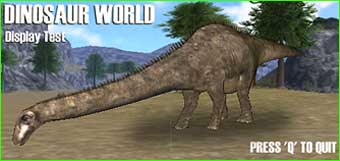
- Download this 2MB test to make sure your PC can run the game.
The test should look like this screen grab:
2. Download the low spec or high spec version now! (20MB)
- Read the instructions below on how to play the game.
- Watch a video of the instructions so you know what to expect.
- Don't forget, this is a beta version and there are bugs. Don't press the windows key while you are playing the game or the game disappears. Have a look at our known bugs and compatibility issues page for details.
3. How to play the game
- Explore the 3D world to find out about the animals, plants and geography.
- Leave cameras at interesting locations so you can keep an eye on what goes on there.
- Use the SPACE bar to move between the 3D world and the Electronic Field Guide.
4. Using the Electronic Field Guide
- A dynamically updating map screen in the Electronic Field Guide shows you where you can go (below).
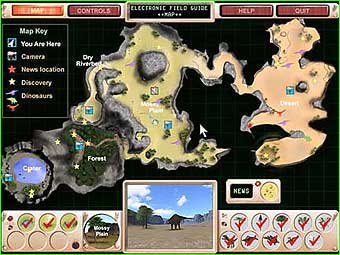
- The controls screen shows you which keyboard buttons to use in the game.
- What to do is explained in the help screen.
5. Technical problems
If you are having problems running this beta:
- Check that you have the minimum specification.
- Check that DirectX 8.1 (or later) is loaded, and you have the latest drivers for your graphics card.
- If there are still problems displaying the tester, it means your graphics card may be unsuitable for displaying Dinosaur World.
- Have a look at our list of known bugs and compatibility issues.
